

Three effective game color mods for colorblind players include extensive in-game customization options found in titles like Battlefield 1, color-coded component overlays for board games that incorporate shapes and symbols, and high-contrast card sleeves for traditional card games. You’ll find these accessibility features essential if you’re among the 300 million people worldwide with color vision deficiency. These modifications guarantee you can fully enjoy gaming experiences without color-based limitations, while maintaining core gameplay integrity.
3 Game Color Mods for Colorblind Players

Nearly 300 million people worldwide experience some form of color vision deficiency, making game color mods essential accessibility features rather than optional extras. When you can’t distinguish between red and green team indicators or miss vital visual cues, you’re not able to fully play the game as intended.
Color mods aren’t luxury features—they’re critical accessibility tools for the millions who can’t experience games as designed.
Modern color mods offer extensive customization options, allowing you to adjust specific problematic colors. Games like Battlefield 1 and Call of Duty have implemented dedicated settings that change squad and enemy indicators to be more distinguishable.
Beyond simple palette swaps, the best implementations include options to replace color-based information with shapes and symbols, ensuring you won’t miss critical information regardless of your vision deficiency type.
Developers increasingly use simulation tools during design to create more inclusive gaming experiences from the ground up.
Color-Coded Component Overlays for Strategic Board Games
While digital games can implement accessibility features through software updates, strategic board games face unique challenges in supporting colorblind players. Color-coded component overlays offer an effective solution by providing distinct visual cues beyond color alone.
By incorporating shapes, symbols, or unique markings alongside colors, you’ll help players with color vision deficiencies easily identify game elements like player pieces and resource cards. The board game “Deep Dive” exemplifies this approach—adding distinctive markings to penguin pieces and food tiles dramatically improves recognition for colorblind players.
When designing these overlays, use tools like Color Oracle to simulate colorblind experiences and adjust accordingly. Offering customizable component colors allows players to select palettes that work for their specific type of colorblindness, enhancing accessibility in strategic board games while maintaining the core gameplay experience.
High-Contrast Card Sleeve Modifications for Traditional Card Games
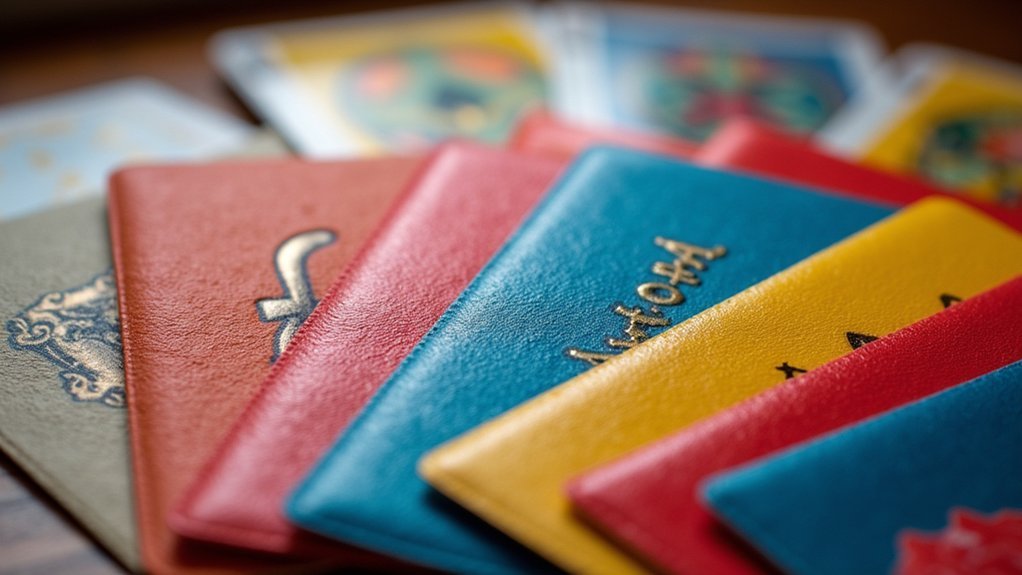
Because color recognition serves as the foundation of traditional card games, colorblind players often struggle to differentiate between suits and card values during gameplay. High-contrast card sleeves offer an elegant solution by incorporating bold colors and distinct patterns that enhance visibility.
| Sleeve Type | Benefits | Accessibility Features |
|---|---|---|
| Textured Sleeves | Tactile feedback | Non-visual identification |
| Bold Pattern Sleeves | Enhanced visibility | Strong color contrast |
| Custom Design Sleeves | Personalization | Color combinations for specific needs |
You’ll find that these specialized sleeves combine contrasting colors with shapes and textures, providing multiple ways to identify cards without relying solely on color. Many retailers now offer accessibility-focused sleeves designed specifically for colorblind players. By selecting sleeve modifications that work for your particular color vision deficiency, you’ll greatly improve your gameplay experience.
Frequently Asked Questions
How Do I Make My Game Colorblind Friendly?
To make your game colorblind friendly, use shapes alongside colors, test with simulation tools, offer customizable color options, guarantee high contrast text, and involve colorblind players during testing for their feedback.
How to Make Graphics Color Blind Friendly?
Use shapes and patterns alongside color, maintain high contrast, and implement colorblind-friendly palettes. You’ll want to avoid red-green combinations and let users customize colors. Test your designs with colorblind simulation tools.
What Colors Are Optimized for Color Blind Individuals?
Blue/yellow combinations and black/white contrasts work best for most colorblind individuals. You’ll want to avoid red/green pairings completely. Always supplement colors with distinct patterns or symbols for maximum accessibility.
What Is the Best App for Color Blind People?
You’ll find Color Oracle highly useful as it simulates various colorblindness types accurately. Sim Daltonism offers real-time simulation, while Color Blind Pal provides customizable settings. Choose based on your specific needs and device.
In Summary
You’ve now got three practical options to enhance your gaming experience despite color vision deficiencies. Whether you’re adding component overlays to board games, using high-contrast card sleeves, or installing color mods for video games, you don’t have to miss out on essential game elements. Try these modifications to guarantee you’re getting the full experience every game designer intended, regardless of how you perceive colors.




Leave a Reply