

Adaptive gaming players benefit from numerous communication solutions that enable inclusive play. Voice recognition lets you control games hands-free, while text-to-speech converts written messages into spoken words. Eye-tracking technology offers control through gaze for those with limited mobility. Alternative input devices, customizable captions, and Discord’s accessibility features create barrier-free environments. Visual alert systems transform audio cues for deaf gamers. These technologies don’t just make games playable—they foster independence and meaningful social connections in virtual worlds.
What Communication Solutions Benefit Adaptive Gaming Players?
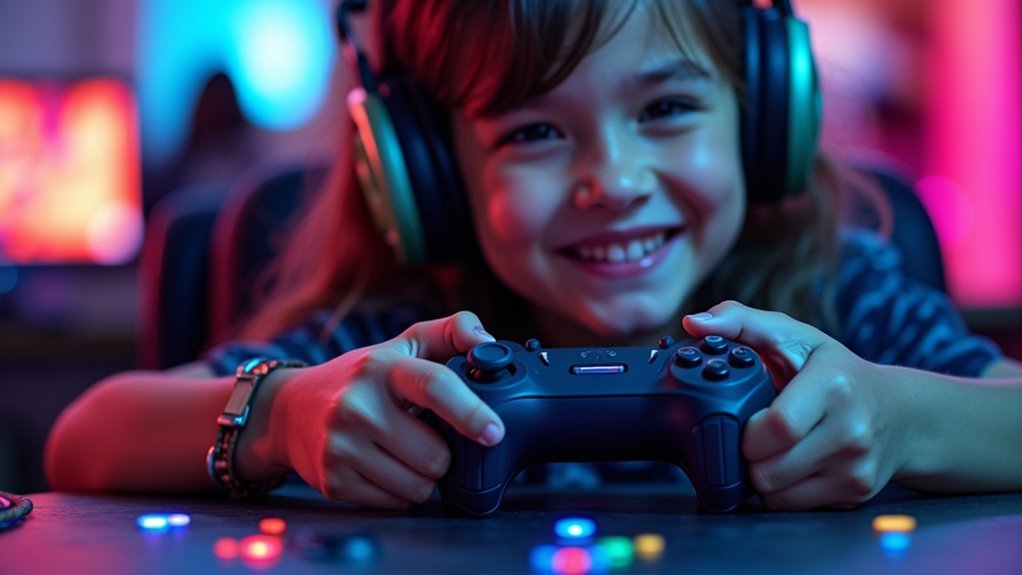
Innovation in adaptive gaming continues to break down barriers for players with diverse abilities. Voice-controlled gaming systems now empower adaptive players with limited mobility to navigate and command games through speech alone, greatly enhancing independence.
For those with visual impairments, text-to-speech software transforms on-screen text into audible narration, making game stories and instructions accessible. Eye-tracking assistive technologies offer alternative control methods through gaze and blinks.
Players with hearing impairments benefit from customizable communication options like adjustable subtitles and captions that guarantee critical dialogue and sound cues aren’t missed.
Meanwhile, platforms like Discord provide inclusive environments where adaptive gamers connect, share experiences, and exchange resources.
These solutions collectively transform gaming from a potentially isolating activity into an accessible, connective experience for everyone.
Voice Recognition Software for Hands-Free Gaming Communication
While traditional controllers remain gaming’s standard interface, voice recognition software has emerged as a revolutionary tool for adaptive players. This technology empowers players with disabilities to engage in games without physical input devices, creating a more accessible gaming experience.
With hands-free gaming solutions, you’ll benefit from:
- Customizable voice commands that replace complex button combinations, letting you tailor controls to your specific needs.
- Seamless communication with teammates through advanced speech-to-text features that integrate across popular gaming platforms.
- Independent gameplay control that fosters social connections in multiplayer environments.
Voice recognition software doesn’t just make gaming possible—it transforms how adaptive gaming players interact with virtual worlds, offering freedom and flexibility previously unavailable through traditional input methods.
Text-to-Speech Integration for In-Game Chat
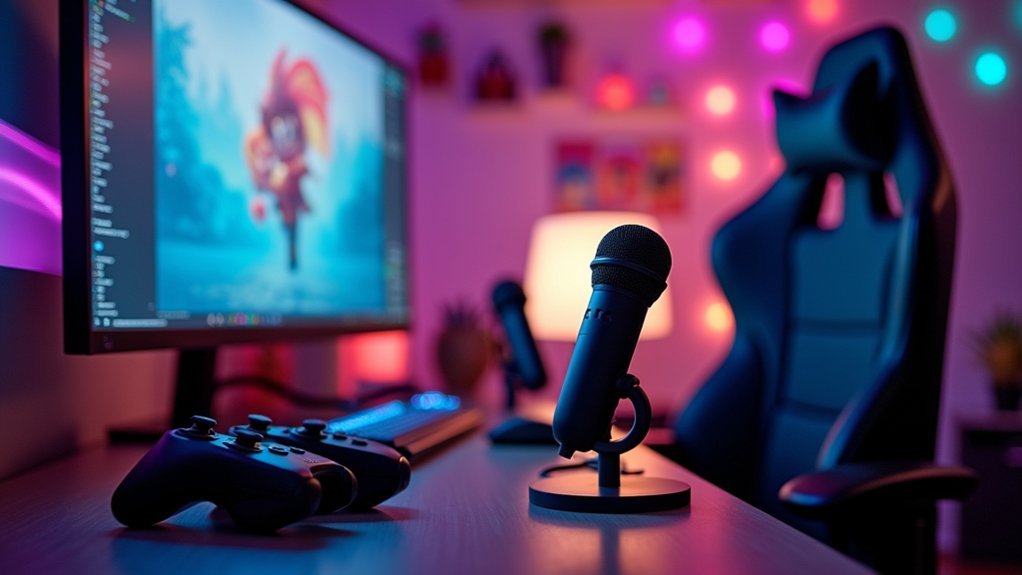
Because traditional text chat remains inaccessible for many players, text-to-speech integration has emerged as an essential advancement in adaptive gaming. This technology converts written messages into spoken words, allowing you to communicate effectively without typing—particularly beneficial if you have visual impairments or mobility limitations.
Popular platforms like Discord and TeamSpeak offer customizable text-to-speech features where you can adjust voice type, speed, and pitch to suit your preferences. These systems employ natural language processing to deliver clearer, more expressive vocal outputs, making your in-game interactions more engaging.
Beyond practical communication benefits, text-to-speech technology fosters a more inclusive gaming community by ensuring everyone can participate in conversations regardless of physical abilities. This accessibility tool breaks down barriers and enriches the social experience for all adaptive gaming enthusiasts.
Eye-Tracking Communication Technologies for Players With Limited Mobility
You’ll find setup and calibration essential when first configuring eye-tracking systems, as proper alignment guarantees your gaze accurately translates to in-game actions.
Beyond basic tracking, customization options let you adjust sensitivity, create personalized commands, and integrate blink controls tailored to your specific mobility needs.
Eye-tracking technology seamlessly connects with multiplayer chat features, allowing you to communicate with teammates through gaze-selected quick messages or eye-controlled keyboards during fast-paced gameplay.
Calibration and Setup Essentials
Achieving ideal performance with eye-tracking communication systems requires proper initial setup and regular calibration tailored to each player’s unique eye movement patterns.
These calibration features guarantee that eye-tracking technology responds accurately to your gaze, creating a more intuitive gaming experience.
When setting up your adaptive gaming system:
- Begin with basic calibration by focusing on specific screen points to help the device learn your eye movement patterns.
- Adjust sensitivity settings based on your specific needs—higher sensitivity for players with limited eye movement range, lower for those who need more precision.
- Test integration with other accessibility options like the Xbox Adaptive Controller to create a thorough setup that addresses your specific mobility limitations.
Regular recalibration guarantees continued accuracy as players with disabilities develop their eye-tracking skills over time.
Customization Beyond Tracking
While proper calibration establishes the foundation for eye-tracking functionality, the true power of these systems emerges through extensive customization options. You’ll find that integrating eye-tracking technology with other assistive technology creates a thorough solution tailored to your specific needs.
| Customizable Options | Accessibility Settings | User Benefits |
|---|---|---|
| Blink sensitivity | Command mapping | Increased independence |
| Gaze duration | Visual indicators | Reduced fatigue |
| Response timing | Integration with adaptive controllers | Enhanced engagement |
Multiplayer Chat Integration
As multiplayer gaming continues to evolve, eye-tracking technologies have revolutionized communication options for players with limited mobility. You can now participate fully in team strategies through adaptive gaming solutions that transform your gaze into actionable commands.
These accessibility features integrate seamlessly with existing platforms, allowing you to:
- Select predefined chat messages simply by looking at options during fast-paced gameplay
- Customize sensitivity settings and gaze durations to match your specific needs and preferences
- Communicate efficiently with teammates without requiring traditional controllers
Tools like the Tobii Eye Tracker offer precision tracking that guarantees your communication remains quick and responsive during critical multiplayer moments. This technology bridges accessibility gaps, fostering meaningful social connections and teamwork regardless of your mobility limitations.
Alternative Input Devices for Gaming Chat Systems
Communication barriers shouldn’t prevent adaptive gaming players from fully participating in multiplayer experiences. Alternative input devices like voice-controlled systems and eye-tracking technology enable effortless interaction with gaming chat systems through spoken commands or gaze-based selections.
For players with limited mobility, adaptive keyboards and modified gamepads with programmable buttons provide easier access to chat functions. These communication solutions are enhanced by customizable voice recognition software that responds to personalized voice profiles, creating more inclusive multiplayer sessions.
Additionally, haptic feedback devices deliver tactile responses for visually impaired players, transforming chat notifications into sensory cues.
Popular platforms like Discord complement these tools with built-in accessibility features, including text-to-speech and speech-to-text capabilities, ensuring you can connect with teammates regardless of physical limitations.
Customizable Communication Interfaces and Button Mapping
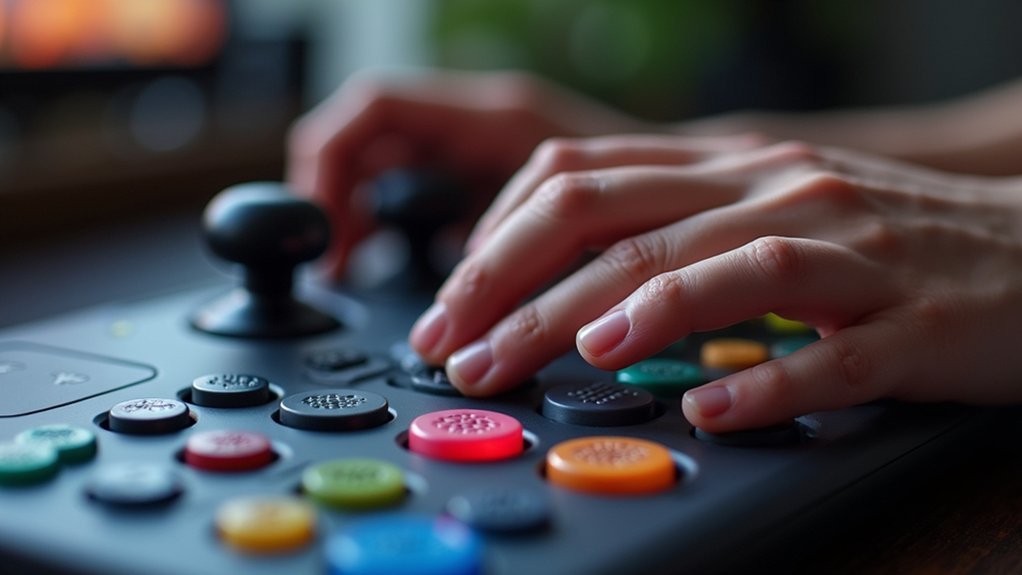
The flexibility of customizable communication interfaces transforms how players with disabilities engage with their favorite games. Devices like the Xbox Adaptive Controller allow you to create personalized control schemes that address your specific mobility challenges, making gaming more accessible and comfortable.
Customized interfaces empower disabled gamers to overcome barriers through personalized controls that match their unique mobility needs.
When adapting your gaming experience, consider these key benefits:
- Button remapping lets you assign frequently used commands to locations that work best for your unique dexterity needs.
- Interchangeable components such as the PlayStation Access Controller’s button caps help you design a layout that fits your specific requirements.
- Voice-controlled systems complement physical customization by enabling menu navigation and command execution through speech.
These adaptive gaming solutions work together to overcome mobility challenges, ensuring you can communicate and play effectively regardless of physical limitations.
Integrated Communication Hubs for Adaptive Controller Setups
Modern integrated communication hubs serve as the central nervous system for your adaptive gaming setup, connecting diverse assistive technologies into a cohesive control system.
With multiple 3.5mm and USB ports, these hubs let you customize your controller configuration by attaching specialized switches, joysticks, and buttons that match your specific needs.
The modular design supports a variety of input methods, including voice control and eye-tracking devices, while enabling personalized button layouts through remapping options.
You’ll appreciate how easily you can swap components to create your ideal gaming interface.
Beyond technical advantages, integrated communication hubs foster inclusive gaming environments where caregivers and therapists can participate alongside you.
This collaborative approach enhances social interaction during gameplay, providing both enjoyment and support as you navigate virtual worlds together.
Visual Communication Tools for Deaf and Hard of Hearing Gamers
Visual communication tools like detailed subtitles and extensive captioning systems have revolutionized gaming accessibility for Deaf and Hard of Hearing players.
You’ll find customizable caption options that let you adjust text size, background transparency, and speaker identification to match your specific visibility needs.
Visual cue integrations, such as on-screen indicators for footsteps or gunfire, provide critical spatial awareness that transforms your gaming experience by making previously audio-only information visually accessible.
Visual Communication Tools for Deaf and Hard of Hearing Gamers
Five important visual communication tools have transformed gaming accessibility for Deaf and Hard of Hearing gamers in recent years. You’ll find these developments vital for fully experiencing modern games without audio cues.
Customizable subtitle options allow you to adjust size, background, and speaker labels, dramatically improving readability during fast-paced gameplay.
Meanwhile, visual sound indicators represent essential audio elements like:
- Footsteps from approaching enemies
- Directional gunfire or combat sounds
- Environmental hazards and alerts
Real-time text chat features enable effective team communication in multiplayer environments, fostering social connection.
Games with extensive accessibility options also include visual tutorials that let you learn mechanics independently, without relying on spoken instructions—creating a more inclusive gaming experience overall.
Customizable Caption Systems
Customizable caption systems represent the foundation of visual accessibility tools in today’s gaming landscape. They empower Deaf and Hard of Hearing players to tailor their experience through adjustable text size, font choices, and background colors for ideal readability.
| Feature | Benefit | Game Example |
|---|---|---|
| Sound Effect Captions | Identifies environmental audio cues | The Last of Us Part II |
| Speaker Labels | Enhances narrative comprehension | Horizon Forbidden West |
| Position Adjustment | Prevents obstruction of visual elements | Fortnite |
| Real-time Transcription | Facilitates multiplayer communication | Sea of Thieves |
Beyond simply transcribing spoken dialogue, modern caption systems include tone indicators and contextual information, helping you understand the emotional nuances of character interactions. With strategic positioning options, you’ll never miss critical visual elements while reading captions, creating a more immersive gaming experience regardless of hearing ability.
Visual Cue Integration
The transformation of audio information into visual elements represents a groundbreaking advancement for Deaf and Hard of Hearing gamers. Visual sound indicators translate essential audio cues like footsteps, gunfire, and environmental sounds into on-screen notifications, dramatically enhancing visual accessibility and gameplay experience.
Modern games incorporate adaptive technology through:
- Dynamic visual indicators that show direction and proximity of sounds, allowing you to track opponents and events.
- Customizable subtitles with adjustable size, background color, and speaker identification for improved readability.
- Extensive visual notification systems for critical game events that would typically rely on audio alerts.
These innovations guarantee that Deaf and Hard of Hearing gamers can enjoy immersive experiences without missing vital information, creating more equitable gameplay across all accessibility needs.
Brain-Computer Interfaces for Communication in Gaming
While traditional controllers remain the norm for most gamers, brain-computer interfaces (BCIs) represent a revolutionary advancement for players with mobility impairments. These systems detect your brain wave patterns through EEG technology, translating thoughts directly into gaming commands—no physical movement required.
What makes BCIs particularly valuable for adaptive gaming is their customizable settings. You can tailor the interface to your specific cognitive abilities, providing unprecedented independence in gameplay.
For individuals with severe disabilities, this technology opens doors to gaming experiences previously inaccessible through conventional control methods.
Research confirms that BCIs greatly enhance engagement and enjoyment for disabled players. As this technology advances, it’s increasingly compatible with existing gaming platforms and other accessibility options, creating a more inclusive gaming ecosystem where your thoughts—not physical limitations—determine your gaming capabilities.
Mobile Apps and Secondary Screens as Communication Aids
Your smartphone can transform into a powerful gaming controller, giving you customizable button layouts when integrated with adaptive gaming systems.
Visual alert apps display game notifications through flashes or vibrations, ensuring you don’t miss critical information regardless of hearing ability.
Voice command features let you control gameplay through simple spoken phrases, expanding your ability to interact with games even when traditional controller use is challenging.
Smartphone Controller Integration
Modern smartphones have revolutionized accessibility options for adaptive gaming players, transforming ordinary mobile devices into powerful communication tools.
By leveraging smartphone technology, you’ll gain access to customizable game controllers that adapt to your specific needs, whether you have mobility impairments or require alternative input methods.
These integrations offer three significant benefits:
- Personalized control schemes – Remap buttons and create custom layouts that work specifically for your abilities.
- Voice-controlled applications – Use speech recognition to issue commands when traditional controls aren’t practical.
- Companion apps – Adjust settings on-the-fly without interrupting gameplay.
Your smartphone can function as both a secondary screen displaying critical information and a communication aid for multiplayer interactions.
This integration promotes independence and enhances your personalized gaming experience by providing flexible, adaptive solutions tailored to your individual requirements.
Visual Alert Systems
Visual Alert Systems build upon smartphone capabilities by transforming mobile apps and secondary screens into powerful communication aids for players with hearing impairments. These systems deliver real-time notifications for critical in-game information, allowing you to respond quickly to objectives or enemy movements without relying on audio cues.
| Alert Type | Benefits |
|---|---|
| Mobile Apps | Customizable vibration patterns; color-coded notifications |
| Secondary Screens | Map displays; health status monitoring |
| Sound Translations | Visual representations of important audio cues |
| Status Indicators | Enemy proximity warnings; objective updates |
You can customize alert types, colors, and sizes to match your specific needs. By integrating with existing accessibility features, these systems foster greater independence in your gaming experience. The result is a more inclusive environment where you’ll never miss critical information, regardless of hearing ability.
Voice Command Features
Everyone can benefit from voice command features that transform mobile apps and secondary screens into powerful communication bridges for adaptive gaming.
Speech recognition technology eliminates reliance on traditional controllers, allowing you to execute complex actions through spoken instructions.
Your gaming experience becomes more accessible with:
- Personalized commands – Create custom voice instructions tailored to your specific needs and preferences
- Secondary screen integration – Utilize voice-to-text translation on additional displays to communicate with other players
- Reduced cognitive load – Minimize physical and mental demands by verbally controlling game functions
These communication aids foster an inclusive gaming environment where you’ll experience greater independence and immersion.
The adaptive gaming community continues to benefit as voice command capabilities evolve, making gameplay more responsive and intuitive for everyone.
Discord and Gaming Platform Accessibility Features for Team Play
How can players with disabilities effectively participate in team-based gaming environments?
Discord offers robust accessibility features that transform team play experiences. You’ll find customizable text size and color options that adapt to your specific needs, while built-in screen reader compatibility guarantees seamless navigation through channels and conversations.
When coordinating with teammates, Discord’s voice channels provide real-time communication that doesn’t require mastering complex in-game systems.
Gaming platforms have responded with their own accessibility improvements, including text-to-speech options and in-game voice chat alternatives for players with hearing impairments.
Both Discord and gaming platforms prioritize inclusive communication through customizable user interfaces, allowing you to adjust settings that work best for your needs.
These adaptable tools guarantee everyone can contribute meaningfully to team strategies regardless of ability.
Frequently Asked Questions
What Are the Benefits of Adaptive Gaming?
Adaptive gaming gives you independence through customizable controls, promotes your mental well-being, fosters social connections, and guarantees you’re included regardless of disabilities. You’ll experience gaming tailored specifically to your unique needs and abilities.
Why Is Communication Important in Gaming?
Communication in gaming enables you to coordinate strategies, share information, and build community. You’ll develop stronger teamwork skills and enhance your experience as you connect with others, making gameplay more engaging and rewarding.
How to Make a Game More Accessible?
You’ll make your game more accessible by implementing remappable controls, adding detailed subtitles with visual sound indicators, offering adaptive difficulty settings, and designing clear interfaces with readable fonts and simplified navigation.
What Are the Benefits of Gaming How Can Gaming Help Learning?
Gaming boosts your cognitive skills like problem-solving and critical thinking. You’ll enjoy learning through interactive storytelling while developing persistence and a growth mindset. Gaming also strengthens your teamwork abilities when you play collaboratively with others.
In Summary
You’ve got more options than ever to communicate effectively while gaming with a disability. Whether you’re using voice commands, eye-tracking technology, or brain-computer interfaces, these tools can keep you connected with your team. Don’t hesitate to explore Discord’s accessibility features or mobile companion apps that work with your specific needs. The gaming world is becoming more inclusive—you deserve to be part of the conversation.


Leave a Reply